// project
Ember — AI companion pendant
A look at what Ember does, the design and engineering problems it runs into, and how it's built end to end.
Every AI assistant I used lived behind a keyboard or a phone screen. I wanted to know what it would feel like if it lived with you instead — something you'd glance at on your desk or wear around your neck, that felt present rather than summoned.
// the problem
Most AI companions are disembodied — a chat window, a voice with no presence. I wanted an assistant you could glance at like a pet or a person: something with a face, in the room or worn on your body, that felt present rather than something you have to unlock a phone to summon.
// the solution
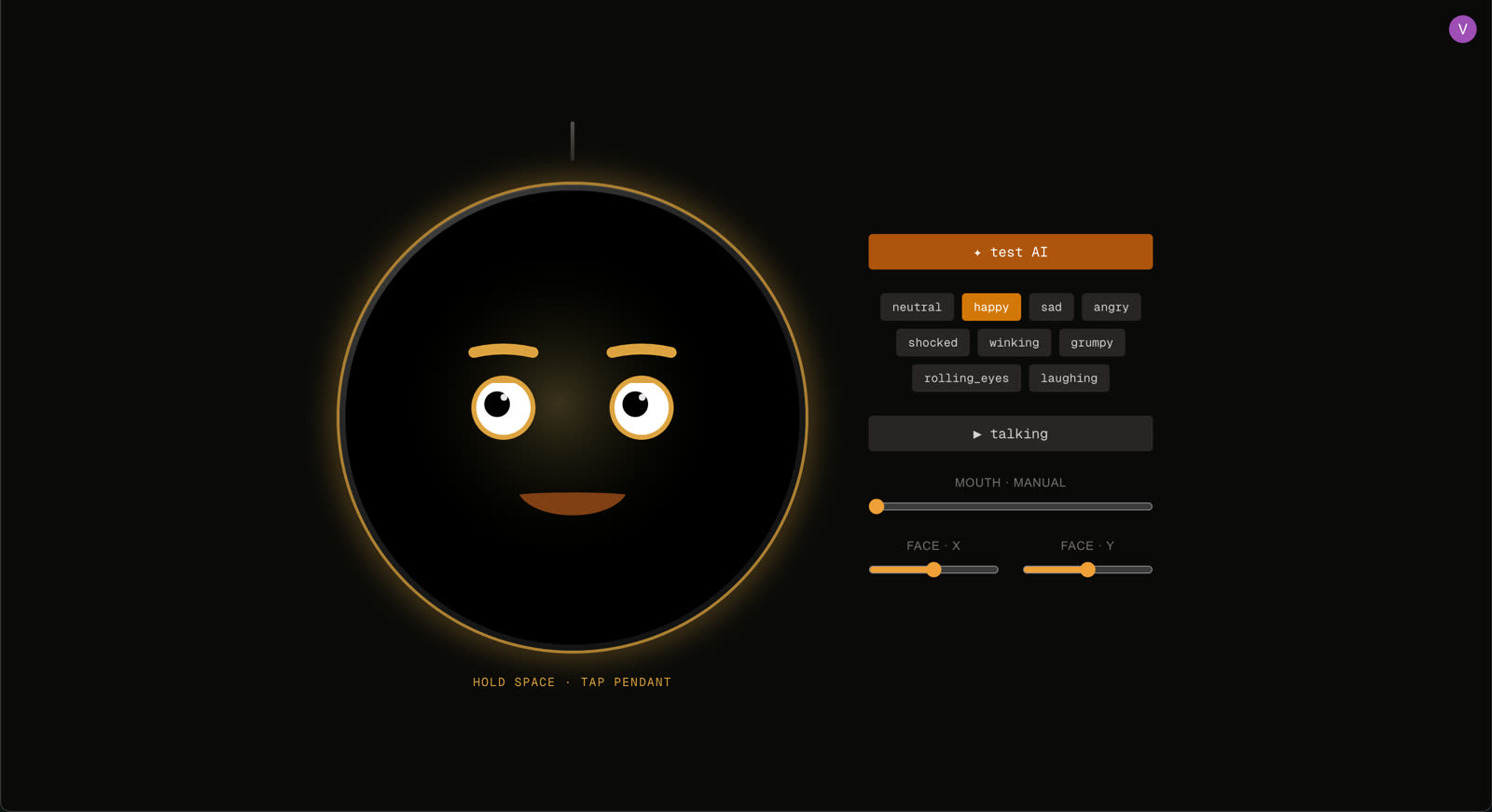
Give the assistant a physical, wearable body: a small display that renders an expressive animated face reacting to context in real time, paired to a phone in seconds, with the same rendering engine running on both a development machine and the physical hardware so the personality could be designed fast and shipped without surprises.
Designing a face that feels alive
Ember's display can hold nine distinct expressions — happy, sad, shocked, grumpy, and more — and animates smoothly between them, so the pendant reads as alive rather than as a static icon on a screen. Getting that feeling of 'presence' right took a lot of iteration: timing the blink, the exact curve of a smile, how quickly the eyes should dart before the mouth catches up.
Building once, running everywhere
You can't iterate on a personality by re-flashing hardware every few seconds. So the same animated face renderer runs identically whether it's being previewed on a laptop during development or running on the physical pendant, which meant the entire look and feel of the character could be designed and refined on a desktop, then dropped onto the real device with no surprises.
Getting a physical pendant online
Setting up a new pendant is a simple phone-to-device pairing flow: scan a QR code on the pendant, confirm on your phone, and it's linked to your account — no manual configuration, no typing wifi credentials on a tiny screen.
// key takeaways
- —Designing perceived 'aliveness' is as much an animation-timing problem as an engineering one
- —Building a hardware/simulator-parity renderer up front made iterating on personality dramatically faster
- —A good pairing UX (QR code + phone confirm) removes almost all onboarding friction for a physical device
// tradeoffs
- —Running the same renderer on both a browser and a microcontroller means giving up visual flourishes that are cheap in a browser but too expensive for the hardware's limited GPU.
- —The wearable form factor puts real limits on battery life, which constrains how expressive and reactive the face can be while still lasting a full day.