// project
Stocker — Ambient stock & crypto dashboard
What Stocker solves, how it stays reliable running unattended 24/7, and where it falls short.
I kept opening five different tabs to check the market — one for prices, one for crypto, one for sector performance. I wanted that glance-and-know feeling of a stock ticker on a trading floor, except sized for a desk and built exactly around what I actually care about.
// the problem
Checking multiple sources for stock and crypto data meant constant context-switching. Building another interactive dashboard would have just added a sixth tab to check — the goal was to remove the friction, not add to it.
// the solution
Build an ambient, non-interactive display instead: a continuous rotation of charts, heatmaps, and signals on a dedicated screen, backed by a fallback data provider and server-side caching so it keeps running smoothly around the clock without anyone touching it.
An ambient display, not another dashboard
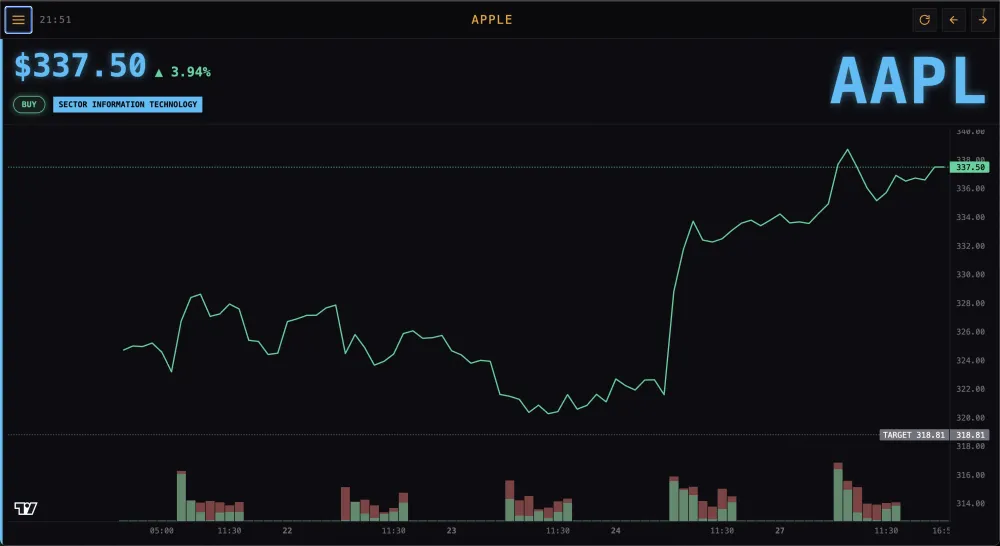
Stocker turns a spare tablet into an always-on market ticker for the desk — no browsing, no clicking, just a continuous rotation of price charts, sector heatmaps, top movers, and technical signals for stocks and crypto, always current. There's no search bar, no menus to dig through — it's meant to be glanced at, the way you'd glance at a clock, and still tell you something useful.
Staying reliable without babysitting it
Market data is pulled from a primary source and automatically falls back to a second provider if the first one is unavailable or rate-limited, and every result is cached so the display keeps running smoothly without depending on a live connection for every single refresh.
Set it and forget it
The whole thing runs unattended, refreshing itself and redeploying automatically whenever it's updated — a genuinely 'set it and forget it' ambient display that's been running quietly on a tablet on my desk since the day I shipped it.
// key takeaways
- —24/7 ambient display — a rotating playlist of market slides, not an interactive dashboard
- —Automatic fallback between data providers keeps the display live even when one source fails
- —Runs unattended with server-side caching for a smooth, always-on experience
// tradeoffs
- —Because it's not interactive, there's no way to drill into a specific stock without editing the slide configuration directly — it's built for glancing, not exploring.
- —Leaning on an unofficial data source as the primary provider means occasional interruptions when that source changes behavior, even with a fallback in place.